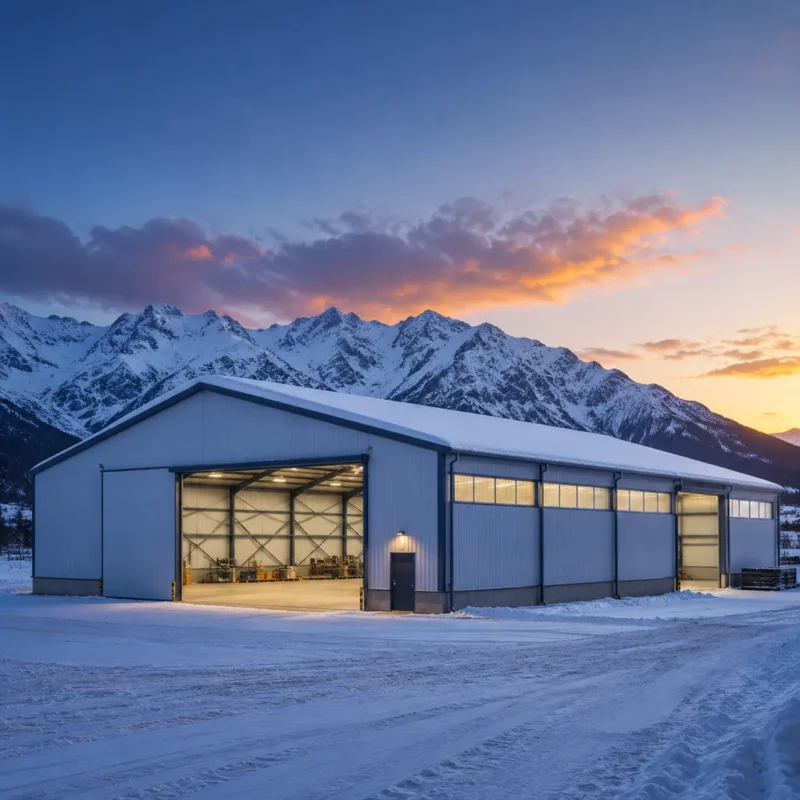
Pre-Engineered Steel Building Supplier: How to Review the Structural Calculation Report


The structural calculation report is the single most important document a pre-engineered steel building supplier can give you — and the one buyers rarely read. A proper report proves the building will stand up to its loads; a thin or generic report means the design was copied, guessed or skipped. You do not need to be a structural engineer to review it effectively: check the six things in this guide and you will catch most under-designed buildings before they become your problem.
Why the calculation report matters more than the price
A steel building quote can be 20% cheaper than the competition simply because it assumes lower loads, thinner steel or fewer checks. The calculation report is where those assumptions are exposed.
What a pre-engineered building calculation report contains
A complete report includes: the design code and edition, load assumptions (dead, live, snow, wind, seismic where relevant), load combinations, member checks for the main frame and secondary steel, connection design, deflection/serviceability checks, and foundation reactions at each support.
It is usually a set of output sheets from structural software (such as STAAD, Tekla Structural Designer, MBS or similar) plus a summary narrative. The summary is where the design basis is stated — start there.
The difference between a report and a cover letter
Some suppliers send a one-page PDF titled ‘Calculation Report’ that lists the building size and declares ‘all members are adequate.’ That is not a calculation report — it is a cover letter. A real report shows numbers: member sizes, utilization ratios, loads, and the code formulas behind them. If the supplier cannot produce this, the design has not been verified.
Q: Do all pre-engineered steel building suppliers provide calculation reports?
A: Serious manufacturers do, and most will share the report for review before you place the order. If a supplier refuses or charges extra for the calculation report, treat that as a strong warning about the design process.
Check 1: the design code matches your site
Code and edition
The report should state the code family (for example ASCE 7-22, EN 1990/1991 with national annexes, SBC 301, GB 50009) and the edition. If the report uses a different code than your project requires, the loads may be wrong even if the numbers look professional.
Ask the supplier to confirm the code matches the one accepted by your local authority or the one your engineer specified. A code mismatch discovered after fabrication is expensive to fix.
Load values for your site
The report should list the ground snow load and basic wind speed used, plus exposure category and any seismic parameters. Compare these with your site’s code values. If the report assumes a lower wind speed or snow load than your site requires, the design is under-built regardless of how complete it looks.
Check 2: loads and load combinations
Are the right load cases present?
Look for the standard combinations: dead + live, dead + snow, dead + wind, and the partial factors that go with each. For high-wind or seismic sites, expect additional combinations including uplift and seismic cases. A report with only one combination has not done the job.
Also check that roof live load, collateral load (sprinklers, ceilings, services) and the equipment loads you specified appear in the input. Missing loads are the quietest way a building gets under-designed.
Load combinations table
A useful report lists the controlling combination for each member type. If it does not, ask which combination governs the main frame and the roof purlins. The answer should be specific — for example ‘dead + full snow governs the rafters; dead + wind governs the columns.’
Q: What is a utilization ratio and what should it be?
A: The utilization ratio compares the applied force on a member with its capacity; 1.0 means the member is exactly at its limit. Well-designed frames typically run at 0.6-0.9 on critical members. Values above 1.0 anywhere in the report are a defect.
Check 3: member sizes and utilization
Read the member table
The report lists each member (columns, rafters, purlins, girts, bracing) with its size and utilization ratio. Scan for any member above 1.0 — that is an overloaded member and a failed check. Utilization between 0.9 and 1.0 is normal at the controlling member but should not be the norm everywhere.
Compare the member sizes in the report with the sizes in the shop drawings. A mismatch here means either the drawings were not updated after design or the fabrication deviates from the verified design.
Secondary steel is checked too
Purlin and girt checks matter because cladding failures start at the connections, not the main frame. The report should show purlin checks for gravity load and wind uplift, including the zone pressures near eaves and corners. If secondary steel is not in the report, ask why.
Check 4: connections and base plates
Where buildings actually fail
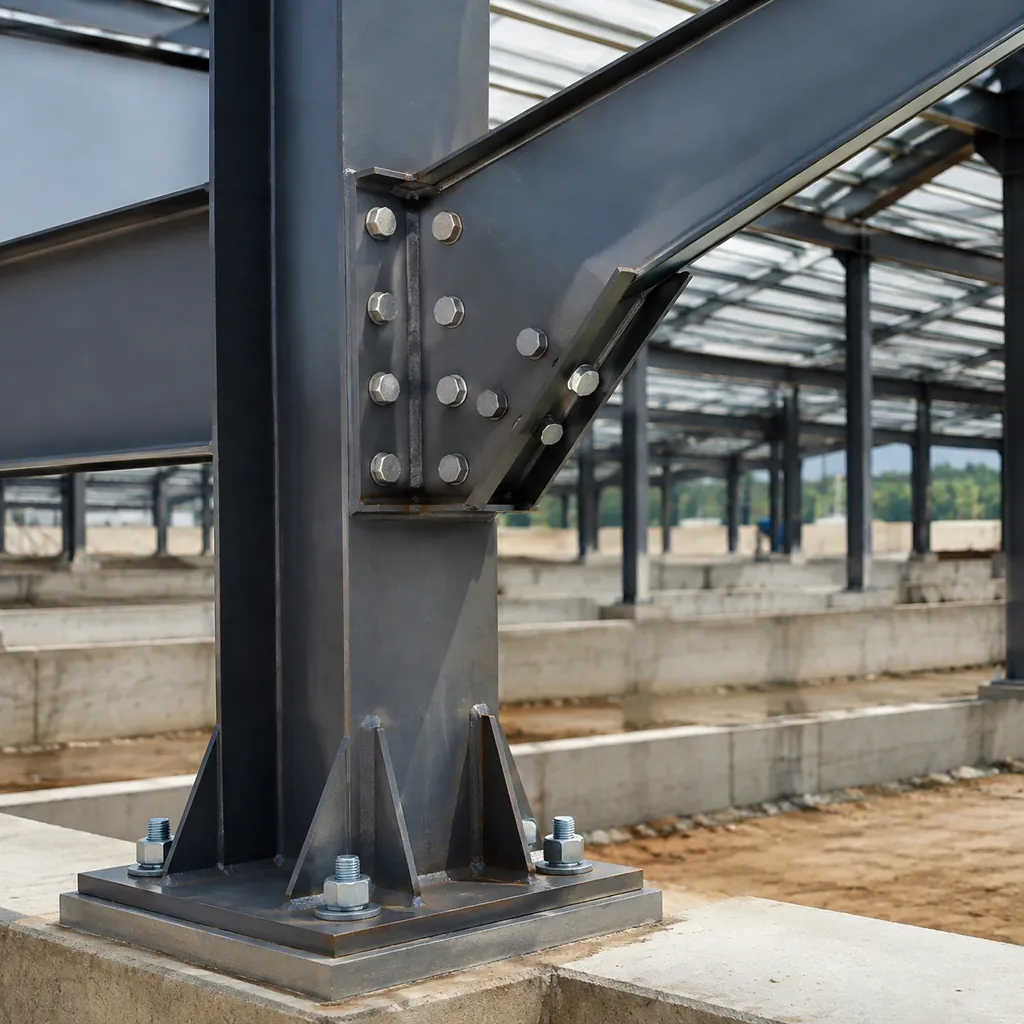
Most steel building failures happen at connections, not in the members. The report should cover the critical connections: eave haunch, apex, column base, brace connections and purlin-to-rafter attachments. For each, the design force and the connection capacity should be visible.
A report that covers members but skips connections is incomplete. Ask specifically how the eave connection and the column base plate were verified.
Anchor bolts and base plates
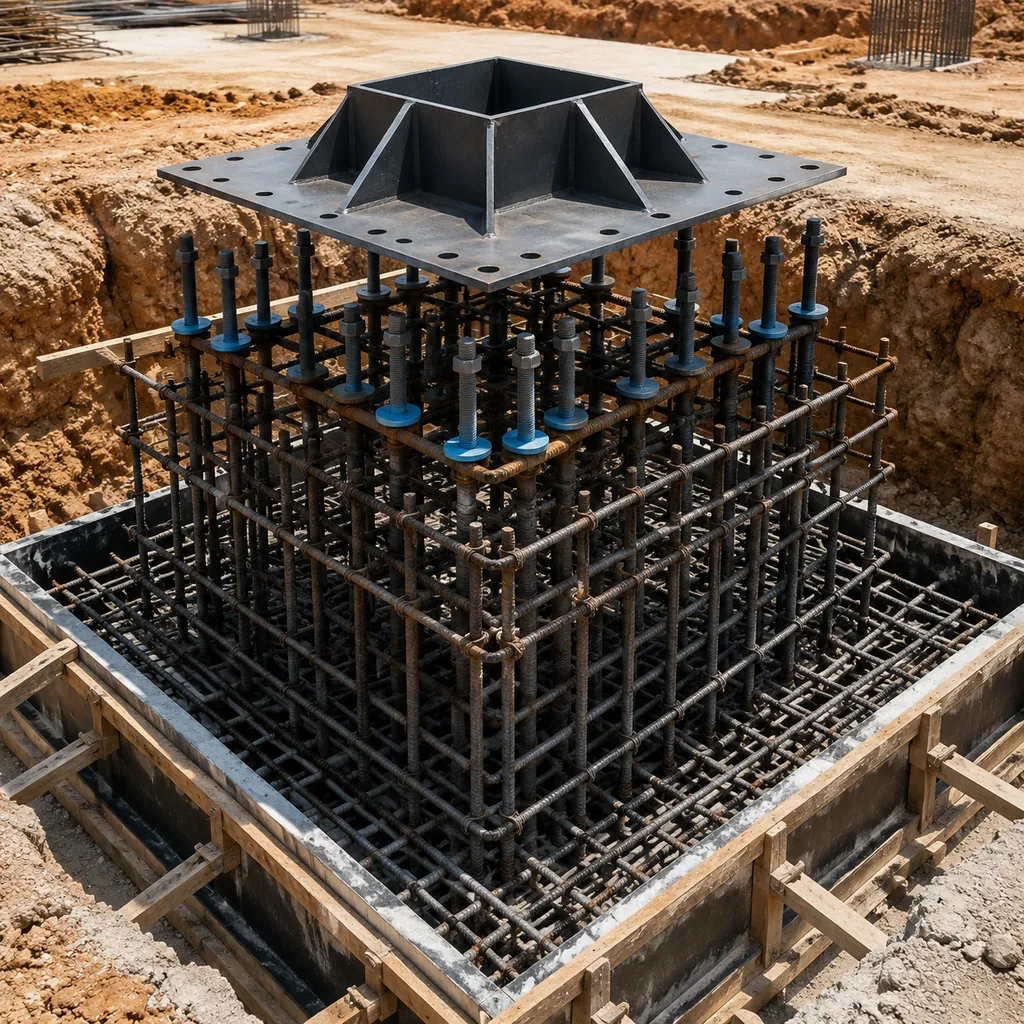
The column base design determines the anchor bolt size, embedment depth and base plate thickness — all of which affect the foundation. The report should give the reactions (vertical, horizontal, uplift) that the foundation designer needs. If the report only gives vertical loads, the foundation will be undersized for wind uplift and lateral forces.
Check 5: deflections and serviceability
The building must work, not just stand
Deflection limits control how the building behaves in use: roof deflection under snow, frame drift under wind, and purlin deflection under live load. Excessive deflection cracks cladding, binds sliding doors and makes the building feel unsafe even when it will not collapse.
Check that the report includes serviceability checks with the limits stated (typically span/180 to span/240 for frames, span/180 to span/240 for purlins, depending on code and cladding type). A report with strength checks only is incomplete.
Crane buildings need drift control
If the building has an overhead crane, the frame drift limits are stricter and the report should include crane load cases (vertical, lateral surge, longitudinal). Confirm the crane reactions were part of the design; a crane added after the report is a common source of under-design.
 pre-engineered steel building” loading=”lazy”>
Check 6: foundation reactions
The bridge between steel and concrete
At the end of the report, the supplier should provide reactions at each column base for the governing load combinations: service loads for the foundation designer and factored loads for strength design. Without these numbers, your local engineer cannot size the footings.
Ask for reactions in a format your engineer can use directly, including uplift and horizontal values, not just downward loads. This one table often reveals whether the supplier has actually designed the building or merely estimated it.
Who reviews the report
Ideally, your local structural engineer reviews the report before you sign. If you do not have an engineer, at least run the six checks in this guide and get written confirmation of the load assumptions. For large or critical buildings, paying for a third-party design review is one of the cheapest insurance policies in construction.
What the software output actually means
Utilization ratios and member checks
Structural software checks each member against each load combination and reports a utilization ratio: the demand divided by the capacity. A ratio of 0.75 means the member uses 75% of its capacity. Ratios below 1.0 pass; above 1.0 fail. Designers aim for the controlling members near 0.85-0.95 to use steel efficiently.
When you scan the member tables, you are looking for three things: no ratios above 1.0, no members missing from the checks, and a sensible pattern where the most loaded members are where you would expect them (columns at the base, rafters near the haunch, purlins in the high-load zones).
Design summary and assumptions page
Most reports open with a summary: project, code, loads, material grades, and the key results. Read this page twice. It is where the supplier states what was designed and what was assumed — and where discrepancies with your requirements are easiest to spot.
Q: Which software do steel building suppliers use for calculations?
A: Common tools include STAAD, Tekla Structural Designer, MBS, and dedicated pre-engineered building programs. The software name matters less than the inputs and outputs. What counts is that the report shows real member checks, not a summary sentence.
The report walkthrough: page by page
What a normal report looks like
Most factory calculation reports are 10-30 pages: a cover and design basis, the load input, the load combinations, the member check tables, and the foundation reactions. The length matters less than the content. A one-page ‘calculation summary’ with no member tables is not a calculation report.
Page 1: cover and design basis
Project name, date, design code and edition, material grades, and the design loads. Check the loads against your site. If the cover does not state the code and loads, the rest of the report cannot be trusted.
Pages 2-4: load input and combinations
Dead, live, snow, wind and seismic inputs with the combination factors. Verify your specified loads appear (crane loads, collateral loads, equipment loads). Count the combinations: a serious report shows at least gravity and lateral sets.
Pages 5-10: member checks
Columns, rafters, purlins, girts, bracing with sizes, lengths and utilization. Scan for failures and missing elements. Compare sizes with the shop drawings later.
Final pages: connections, deflections, reactions
Connection designs or references, serviceability checks, and the foundation reaction table. If any of these sections is absent, add it to your question list.
When to involve a third-party engineer
Projects that deserve independent review
Large investments, buildings with unusual geometry or heavy cranes, projects in high-wind or seismic zones, and any building where the supplier’s report is thin or hard to follow. For these, a local engineer’s review is cheap insurance.
A third-party reviewer checks the same six items, but with professional judgment: whether the load assumptions suit the site, whether the connection details match the calculation assumptions, and whether the report and drawings agree.
How to brief the reviewer
Send the calculation report, the shop drawings, your inquiry specification and the site load data. Ask for a written list of findings with severity levels. A good review returns either a clean bill or a short list of specific fixes — both are valuable in the supplier conversation.
Q: How much does a third-party design review cost?
A: For a standard warehouse, a focused review by a local structural engineer typically costs a small fraction of the building price. For complex buildings it scales with the engineering effort. Ask for a fixed fee based on the report size.
Questions to ask in your design review call
The seven questions
1. Which code and edition did you use? 2. What wind speed and snow load for my site? 3. Which load combination governs the frame? 4. Are purlins and girts checked for zone pressures and uplift? 5. How were the eave connection and base plate verified? 6. What are the foundation reactions for gravity and uplift? 7. Do the shop drawings match the calculation member sizes?
Put these seven questions in writing to the supplier before you commit. The answers — or the evasions — tell you more than the report itself. If any question gets a vague answer, ask once more for specifics before deciding.
What good answers look like
Specific numbers, named code clauses, and references to the report pages. ‘Our standard design handles everything’ is not an answer. If the supplier cannot answer without the engineering team on the call, ask for the engineering team to join — a factory with real engineers will happily do this.
Common report problems and what they mean
A translation table for report issues
Not every report problem is a design failure, but each one has a meaning you should understand before you sign. This table maps the typical problems to their likely cause and the action to take:
| Problem in the report | Likely meaning | Action |
|---|---|---|
| No code or edition named | Design basis not controlled | Ask for code before review |
| Loads lower than site code | Under-design or copy of another project | Require corrected loads |
| Only one load combination | Incomplete analysis | Request full combinations |
| Member over 1.0 utilization | Failed check | Block until corrected |
| No connection section | Connections not verified | Request connection design |
| No serviceability checks | Use behavior not verified | Request deflection checks |
| No foundation reactions | Civil interface missing | Request reaction table |
| Drawings differ from report | Version mismatch | Reconcile versions before fabrication |
How to raise issues with the supplier
Send a numbered list of findings with references to the report pages. Ask for a written response to each item. This converts a vague ‘please review the design’ conversation into a checklist both sides can track. Suppliers with real engineering teams respond quickly; the response time is itself a signal.
Q: What if the calculation report has an overloaded member?
A: An overloaded member means the design has not passed its own checks. Do not proceed until the supplier corrects the member, re-runs the analysis and provides the updated report. Treat any ‘it will be fine in practice’ response as unacceptable.
Reading the report alongside the shop drawings
The version check that prevents fabrication errors
Before fabrication starts, compare the member sizes in the calculation report with the shop drawings, bay by bay. Discrepancies mean either the drawings were updated without re-running the analysis, or the analysis used members that were never drawn. Either way, the design is not verified.
Also check the material grades match: a report designed with S355 rafters but drawings specifying S235 is a different structure, not a paperwork detail.
The connection detail check
Shop drawings show the actual bolted and welded details. Check that the connection details match the assumptions in the report: bolt sizes and grades, weld sizes, and stiffener plates at haunches and base plates. Connection mismatches are the most common fabrication-stage defect.
Q: What if the shop drawings do not match the calculation report?
A: Stop and reconcile before fabrication. Ask the supplier to either update the drawings to match the verified design or re-run the analysis for the drawn members. Never approve fabrication while the two documents disagree.
Material grades: the quiet variable
Grade changes the whole calculation
Q235B and Q355B (or S235 and S355) have very different yield strengths. A frame designed in S355 can often use lighter members than the same frame in S235. If the report says one grade and the mill certificates show another, the utilization ratios in the report are meaningless.
Confirm the grade in three places: the calculation report, the shop drawings, and the mill certificates at delivery. They should all agree.
When grade substitution is proposed
A supplier may propose substituting a higher grade to reduce tonnage and price. That is legitimate only if the design is re-run with the new grade and the connections are re-checked. A simple ‘we used S355 instead, it is stronger’ without re-calculation is not an engineering answer.
Check the deflection limits too
Strength is not the whole story: a frame can pass strength checks and still be too flexible for your use. Rafter deflection affects the roof line and cladding, purlin deflection affects the roofing profile, and crane runway beams have their own strict limits.
Confirm which deflection limits were applied and compare them with what your operation needs. For crane buildings in particular, the serviceability checks deserve the same scrutiny as the strength checks.
Putting it together: a review checklist
| Check | What to look for | Red flag |
|---|---|---|
| 1. Design code | Code family and edition stated | No code named |
| 2. Site loads | Wind/snow/seismic values match site | Lower values than code requires |
| 3. Load combinations | Gravity + lateral + uplift cases | Only one combination |
| 4. Member checks | Utilization <= 1.0 on all members | Overloads or missing members |
| 5. Connections | Eave, base, bracing verified | Connections absent from report |
| 6. Serviceability | Deflection limits checked | No serviceability section |
| 7. Foundation reactions | Vertical + horizontal + uplift at bases | Only vertical loads |
What to do with the findings
If the report passes all checks, you can compare it with the shop drawings and the quote with confidence. If it fails any check, go back to the supplier with the specific item — not a general complaint. A good supplier will fix the design or explain the assumption; a weak one will argue that ‘it has always been done this way.’ The second answer is your answer.
Frequently Asked Questions
What is a structural calculation report for a steel building?
It is the set of design calculations proving that every structural member and connection can carry the loads required by the applicable code. It states the design basis, loads, member checks, connection checks and foundation reactions.
Do I need to be an engineer to review a calculation report?
No. You can check the six essentials: code stated, loads match your site, load combinations present, utilization under 1.0, connections covered, and foundation reactions provided. For critical projects, have a local engineer do the detailed review.
What if the supplier refuses to share the calculation report?
Treat it as a major warning. Reputable pre-engineered steel building suppliers share reports for review before ordering. A refusal usually means the design has not been properly verified.
What is a good utilization ratio in a steel frame?
Between 0.6 and 0.9 on the controlling members is normal and economical. Any member above 1.0 fails the check. A design where everything is near 0.95 may be over-optimized with no margin for site variations.
Can I change the building after the calculation report is done?
Yes, but changes to loads, spans, crane capacity or cladding weight require re-running the design. Make all major changes before the report is finalized; changes after fabrication approval are costly and slow.
Before you sign for a pre-engineered building, ask for the calculation report and run the six checks. A supplier that designs to your site’s real loads — and can prove it — is the only supplier worth your deposit.